

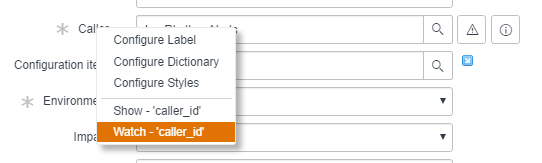
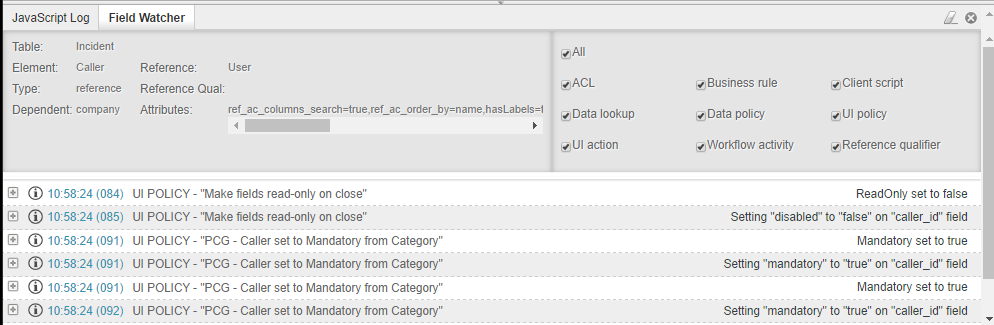
“Watching” a field on a form can be very helpful with troubleshooting because it can show you which UI policies, ACLs, or even client scripts are manipulating the field.
This is done by right-clicking a field’s label and selecting “Watch – ‘[field name]’.”
Unfortunately though, sometimes ServiceNow will decide it doesn’t want you to watch a field. The action won’t be available, or maybe you’re trying to watch a field that’s already hidden on form load. To get around this limitation, you can execute the below script as a background script.
gs.getSession().setWatchField("hidden_field");
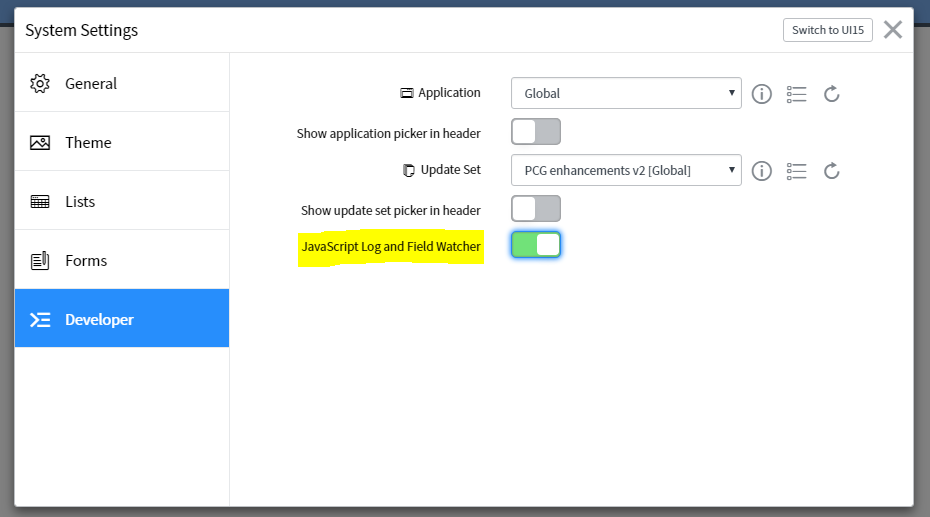
…and then activate the “Field Watcher” UI by going to the gear icon in the top-right of the banner, selecting “Developer” and then toggling on “JavaScript Log and Field Watcher.”
Important Note:
Be sure you’re in the full navigation window (nav_to.do), otherwise you won’t see the debugger window.
